Thanks to all the great authors who shared their brilliant work and let us to use it.
Translation credits:
Thanks to elpuntografico for the Spanish translation (http://graphicriver.net/user/elpuntografico/portfolio)
Thanks to Toni (kratos85) for the German translation
Thanks to Sébastien Landrieu (sailor1978) for French translation.
Thanks to Davide Pantè for Italian Translation
Thanks to Rick de Jong for Dutch translation (Tussendoor.nl)
Thanks to brshift for Portuguese translation
Thanks to Muhammad Ali - http://bestit.org for Persian translation
Thanks to Valentin Val for Bulgarian translation
Thanks to evange for Japanese translation
Thanks to Oberon Lai for traditional Chinese translation
Thanks to Yousefzadeh for Persian translation
Thanks to Abid Omar for the detailed tutorial and WP Auto update class. https://github.com/omarabid/Self-Hosted-WordPress-Plugin-repository
CREDITS
- Some icons by Yusuke Kamiyamane "Diagona" & "Fugue" (http://p.yusukekamiyamane.com/)
- Some icons by Komodo Media "Social Networking" pack (http://www.komodomedia.com/)
- Some icons by WooFunction http://www.iconfinder.com/search/?q=iconset%3Awoothemesiconset
- Some icons by FatCow Web Hosting http://www.iconfinder.com/search/?q=iconset%3Afatcow
.e--ua-appleWebkit.rtl{--flex-right:flex-start}.e--ua-appleWebkit .elementor-share-buttons--align-right,.e--ua-appleWebkit .elementor-widget-social-icons.e-grid-align-right{--justify-content:var(--flex-right,flex-end)}.e--ua-appleWebkit .elementor-share-buttons--align-center,.e--ua-appleWebkit .elementor-widget-social-icons.e-grid-align-center{--justify-content:center}.e--ua-appleWebkit .elementor-grid-0.elementor-share-buttons--align-center .elementor-grid,.e--ua-appleWebkit .elementor-grid-0.elementor-share-buttons--align-justify .elementor-grid,.e--ua-appleWebkit .elementor-grid-0.elementor-share-buttons--align-right .elementor-grid,.e--ua-appleWebkit .elementor-grid-0.elementor-widget-social-icons.e-grid-align-center .elementor-grid,.e--ua-appleWebkit .elementor-grid-0.elementor-widget-social-icons.e-grid-align-right .elementor-grid{display:flex;flex-wrap:wrap;justify-content:var(--justify-content,space-between);margin-left:calc(-.5 * var(--grid-column-gap));margin-right:calc(-.5 * var(--grid-column-gap));width:auto}.e--ua-appleWebkit .elementor-grid-0.elementor-share-buttons--align-center .elementor-grid-item,.e--ua-appleWebkit .elementor-grid-0.elementor-share-buttons--align-justify .elementor-grid-item,.e--ua-appleWebkit .elementor-grid-0.elementor-share-buttons--align-right .elementor-grid-item,.e--ua-appleWebkit .elementor-grid-0.elementor-widget-social-icons.e-grid-align-center .elementor-grid-item,.e--ua-appleWebkit .elementor-grid-0.elementor-widget-social-icons.e-grid-align-right .elementor-grid-item{margin-left:calc(.5 * var(--grid-column-gap));margin-right:calc(.5 * var(--grid-column-gap))}.e--ua-appleWebkit .elementor-grid-0.elementor-share-buttons--align-left .elementor-grid,.e--ua-appleWebkit .elementor-grid-0.elementor-widget-social-icons.e-grid-align-left .elementor-grid{display:inline-block}.e--ua-appleWebkit .elementor-grid-0.elementor-share-buttons--align-left .elementor-grid,.e--ua-appleWebkit .elementor-grid-0.elementor-share-buttons--align-left .elementor-grid-item,.e--ua-appleWebkit .elementor-grid-0.elementor-widget-social-icons.e-grid-align-left .elementor-grid,.e--ua-appleWebkit .elementor-grid-0.elementor-widget-social-icons.e-grid-align-left .elementor-grid-item{margin-left:0;margin-right:0}@media (max-width:1024px){.e--ua-appleWebkit .elementor-share-buttons-tablet--align-right,.e--ua-appleWebkit .elementor-widget-social-icons.e-grid-align-tablet-right{--justify-content:var(--flex-right,flex-end)}.e--ua-appleWebkit .elementor-share-buttons-tablet--align-center,.e--ua-appleWebkit .elementor-widget-social-icons.e-grid-align-tablet-center{--justify-content:center}.e--ua-appleWebkit .elementor-grid-0.elementor-share-buttons--align-tablet-center .elementor-grid,.e--ua-appleWebkit .elementor-grid-0.elementor-share-buttons--align-tablet-justify .elementor-grid,.e--ua-appleWebkit .elementor-grid-0.elementor-share-buttons--align-tablet-right .elementor-grid,.e--ua-appleWebkit .elementor-grid-0.elementor-widget-social-icons.e-grid-align-tablet-center .elementor-grid,.e--ua-appleWebkit .elementor-grid-0.elementor-widget-social-icons.e-grid-align-tablet-right .elementor-grid{display:flex;flex-wrap:wrap;justify-content:var(--justify-content,space-between);margin-left:calc(-.5 * var(--grid-column-gap));margin-right:calc(-.5 * var(--grid-column-gap));width:auto}.e--ua-appleWebkit .elementor-grid-0.elementor-share-buttons--align-tablet-center .elementor-grid-item,.e--ua-appleWebkit .elementor-grid-0.elementor-share-buttons--align-tablet-justify .elementor-grid-item,.e--ua-appleWebkit .elementor-grid-0.elementor-share-buttons--align-tablet-right .elementor-grid-item,.e--ua-appleWebkit .elementor-grid-0.elementor-widget-social-icons.e-grid-align-tablet-center .elementor-grid-item,.e--ua-appleWebkit .elementor-grid-0.elementor-widget-social-icons.e-grid-align-tablet-right .elementor-grid-item{margin-left:calc(.5 * var(--grid-column-gap));margin-right:calc(.5 * var(--grid-column-gap))}.e--ua-appleWebkit .elementor-grid-0.elementor-share-buttons-tablet--align-left .elementor-grid,.e--ua-appleWebkit .elementor-grid-0.elementor-widget-social-icons.e-grid-align-tablet-left .elementor-grid{display:inline-block}.e--ua-appleWebkit .elementor-grid-0.elementor-share-buttons-tablet--align-left .elementor-grid,.e--ua-appleWebkit .elementor-grid-0.elementor-share-buttons-tablet--align-left .elementor-grid-item,.e--ua-appleWebkit .elementor-grid-0.elementor-widget-social-icons.e-grid-align-tablet-left .elementor-grid,.e--ua-appleWebkit .elementor-grid-0.elementor-widget-social-icons.e-grid-align-tablet-left .elementor-grid-item{margin-left:0;margin-right:0}}@media (max-width:767px){.e--ua-appleWebkit .elementor-share-buttons-mobile--align-right,.e--ua-appleWebkit .elementor-widget-social-icons.e-grid-align-mobile-right{--justify-content:var(--flex-right,flex-end)}.e--ua-appleWebkit .elementor-share-buttons-mobile--align-center,.e--ua-appleWebkit .elementor-widget-social-icons.e-grid-align-mobile-center{--justify-content:center}.e--ua-appleWebkit .elementor-grid-0.elementor-share-buttons--align-mobile-center .elementor-grid,.e--ua-appleWebkit .elementor-grid-0.elementor-share-buttons--align-mobile-justify .elementor-grid,.e--ua-appleWebkit .elementor-grid-0.elementor-share-buttons--align-mobile-right .elementor-grid,.e--ua-appleWebkit .elementor-grid-0.elementor-widget-social-icons.e-grid-align-mobile-center .elementor-grid,.e--ua-appleWebkit .elementor-grid-0.elementor-widget-social-icons.e-grid-align-mobile-right .elementor-grid{display:flex;flex-wrap:wrap;justify-content:var(--justify-content,space-between);margin-left:calc(-.5 * var(--grid-column-gap));margin-right:calc(-.5 * var(--grid-column-gap));width:auto}.e--ua-appleWebkit .elementor-grid-0.elementor-share-buttons--align-mobile-center .elementor-grid-item,.e--ua-appleWebkit .elementor-grid-0.elementor-share-buttons--align-mobile-justify .elementor-grid-item,.e--ua-appleWebkit .elementor-grid-0.elementor-share-buttons--align-mobile-right .elementor-grid-item,.e--ua-appleWebkit .elementor-grid-0.elementor-widget-social-icons.e-grid-align-mobile-center .elementor-grid-item,.e--ua-appleWebkit .elementor-grid-0.elementor-widget-social-icons.e-grid-align-mobile-right .elementor-grid-item{margin-left:calc(.5 * var(--grid-column-gap));margin-right:calc(.5 * var(--grid-column-gap))}.e--ua-appleWebkit .elementor-grid-0.elementor-share-buttons-mobile--align-left .elementor-grid,.e--ua-appleWebkit .elementor-grid-0.elementor-widget-social-icons.e-grid-align-mobile-left .elementor-grid{display:inline-block}.e--ua-appleWebkit .elementor-grid-0.elementor-share-buttons-mobile--align-left .elementor-grid,.e--ua-appleWebkit .elementor-grid-0.elementor-share-buttons-mobile--align-left .elementor-grid-item,.e--ua-appleWebkit .elementor-grid-0.elementor-widget-social-icons.e-grid-align-mobile-left .elementor-grid,.e--ua-appleWebkit .elementor-grid-0.elementor-widget-social-icons.e-grid-align-mobile-left .elementor-grid-item{margin-left:0;margin-right:0}}
Arabic Alphabet Activity Book: Alif to Yaa (Read, Trace, Write, Color) – Ibtidaa
Skip to content
$4.39Original price was: $4.39.$2.49Current price is: $2.49.
+ Free Shipping
Fun and engaging Arabic alphabet activity book with reading, tracing, writing, and coloring activities — perfect for toddlers and preschoolers learning Alif to Yaa.
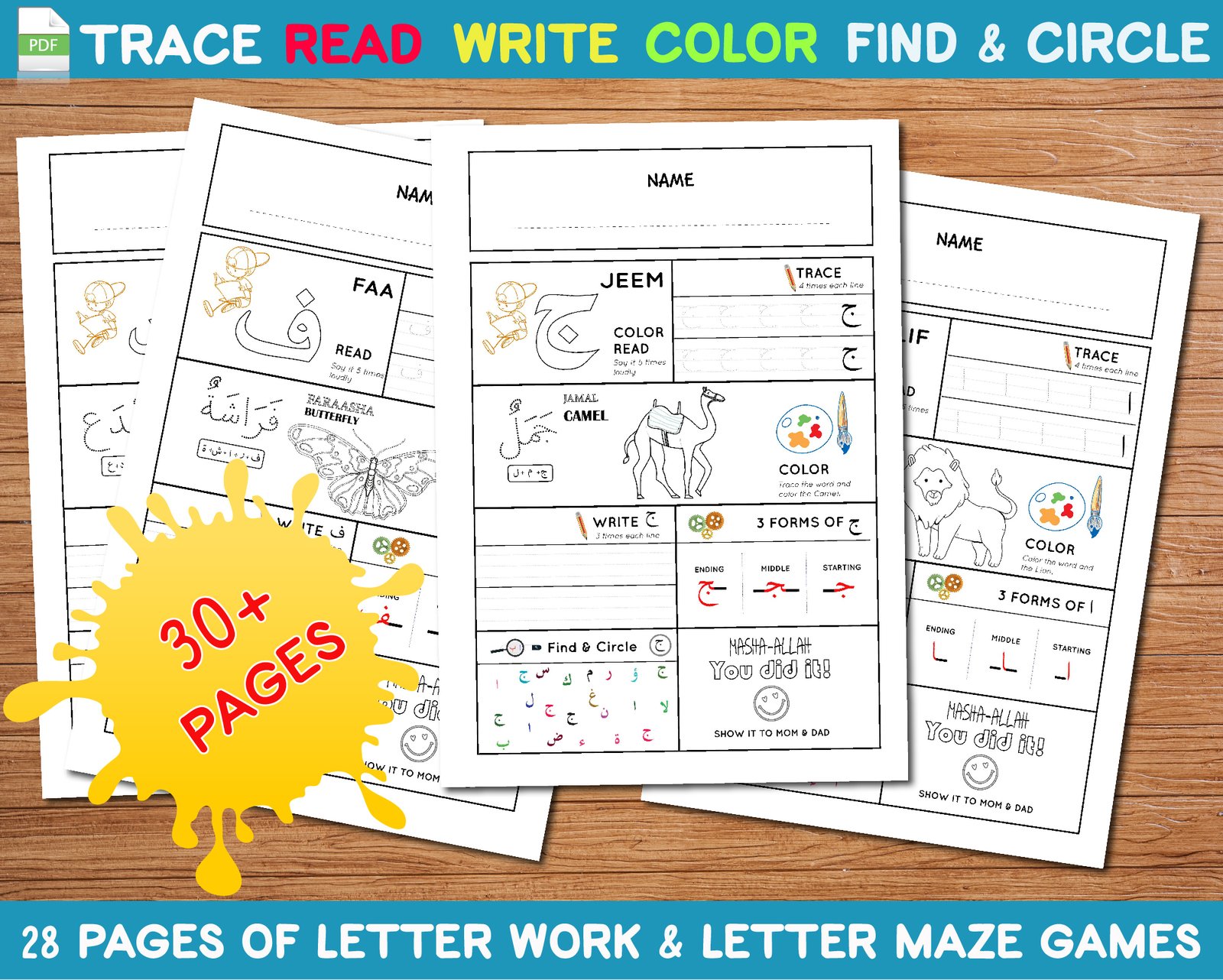
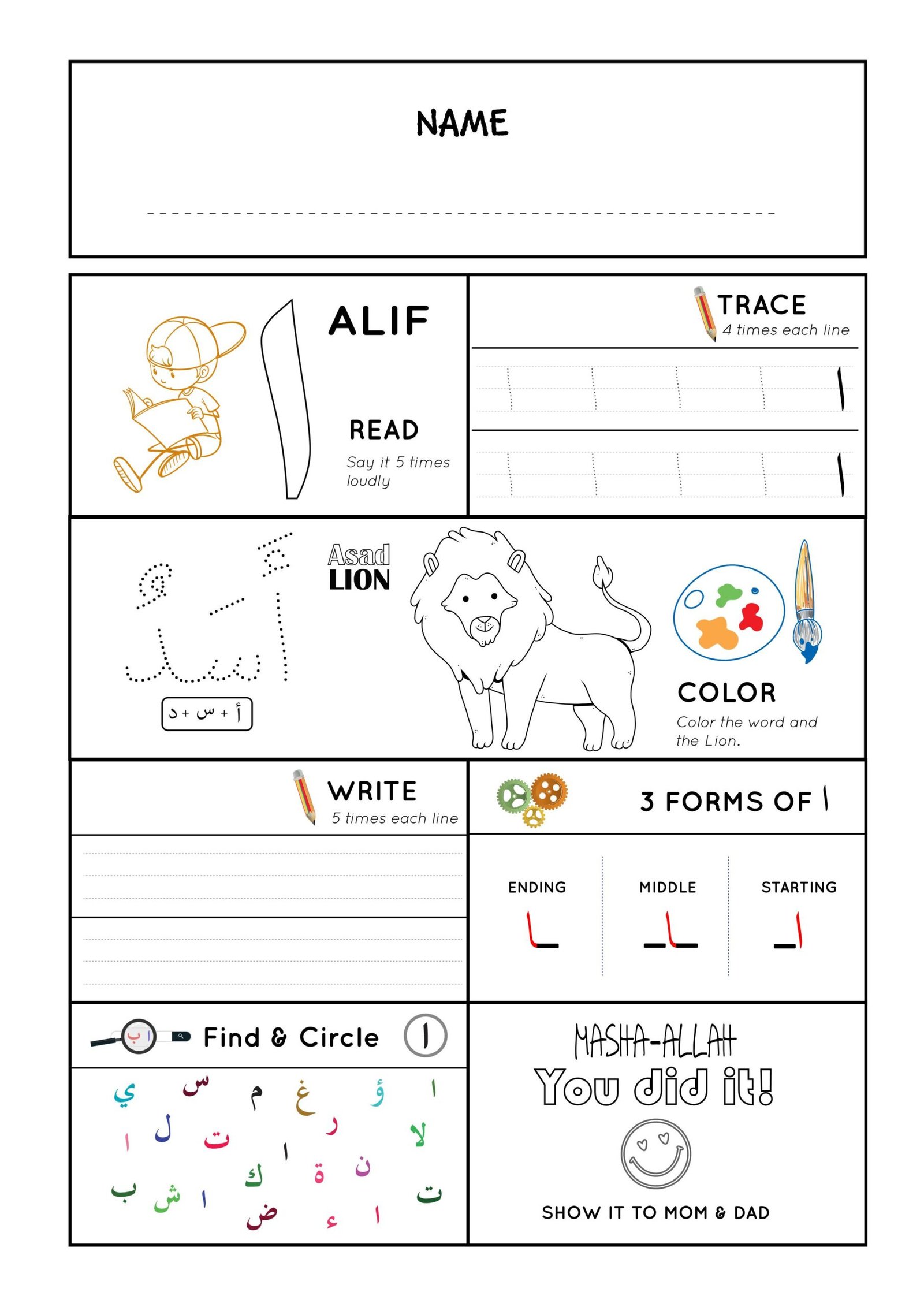
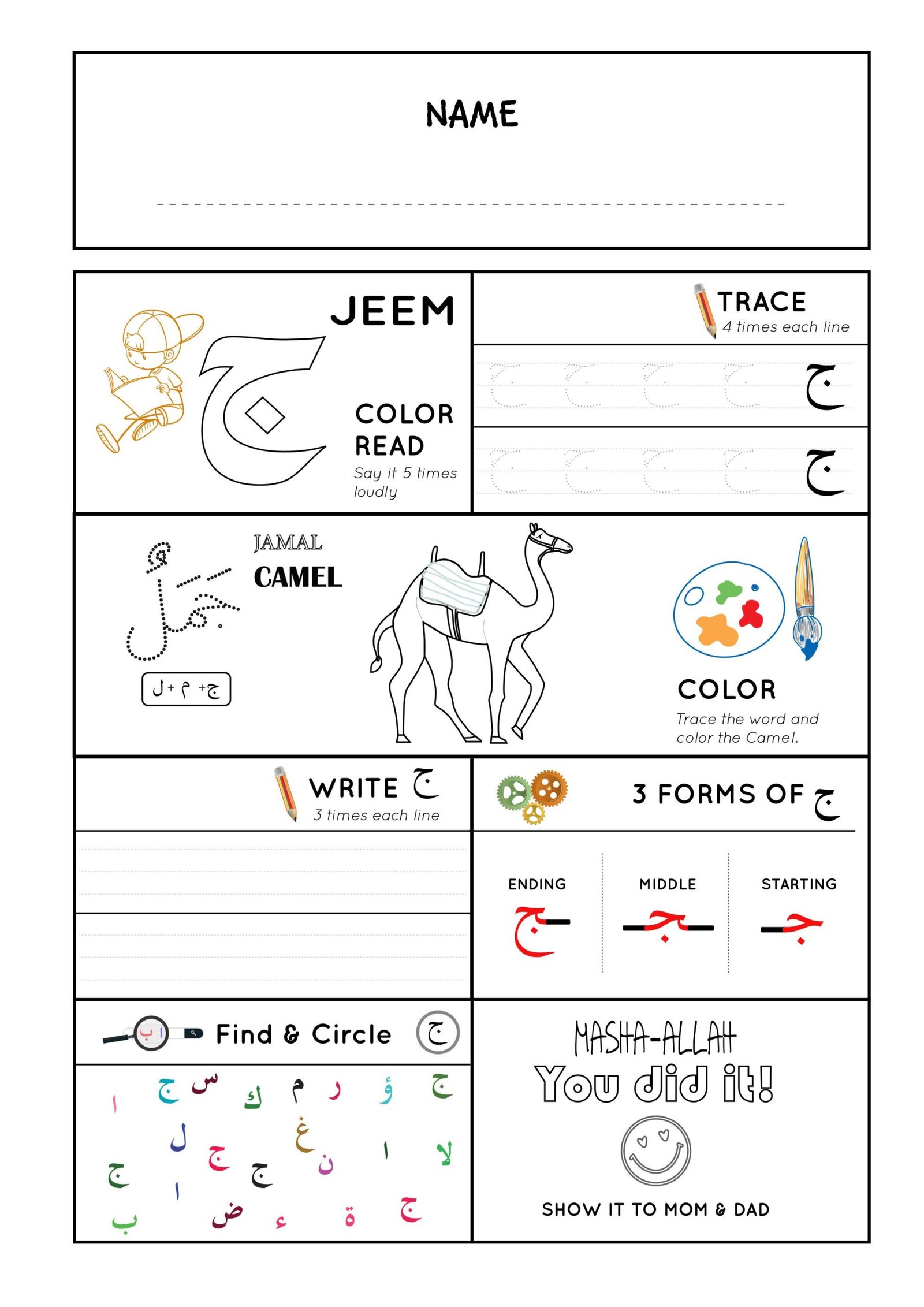
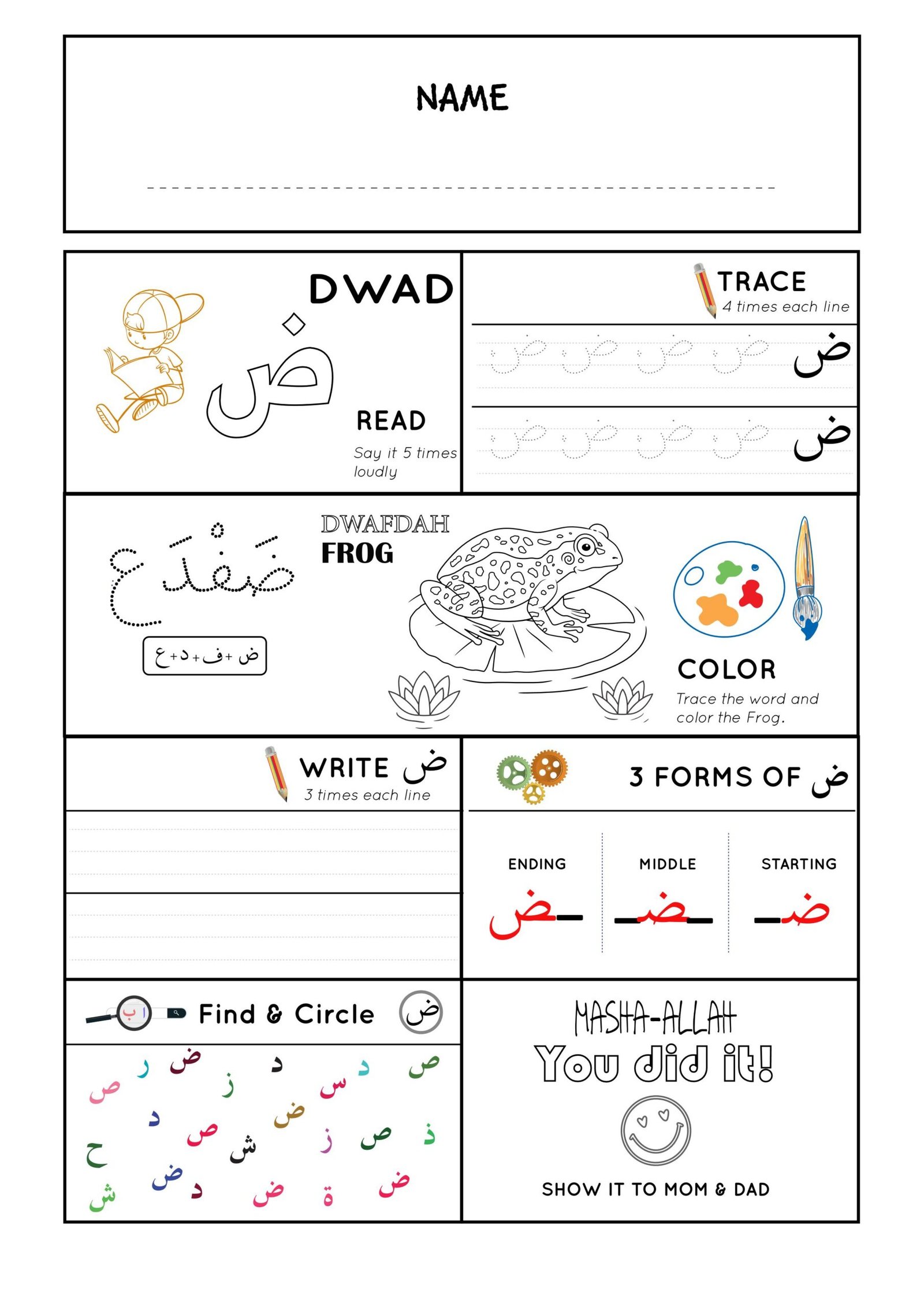
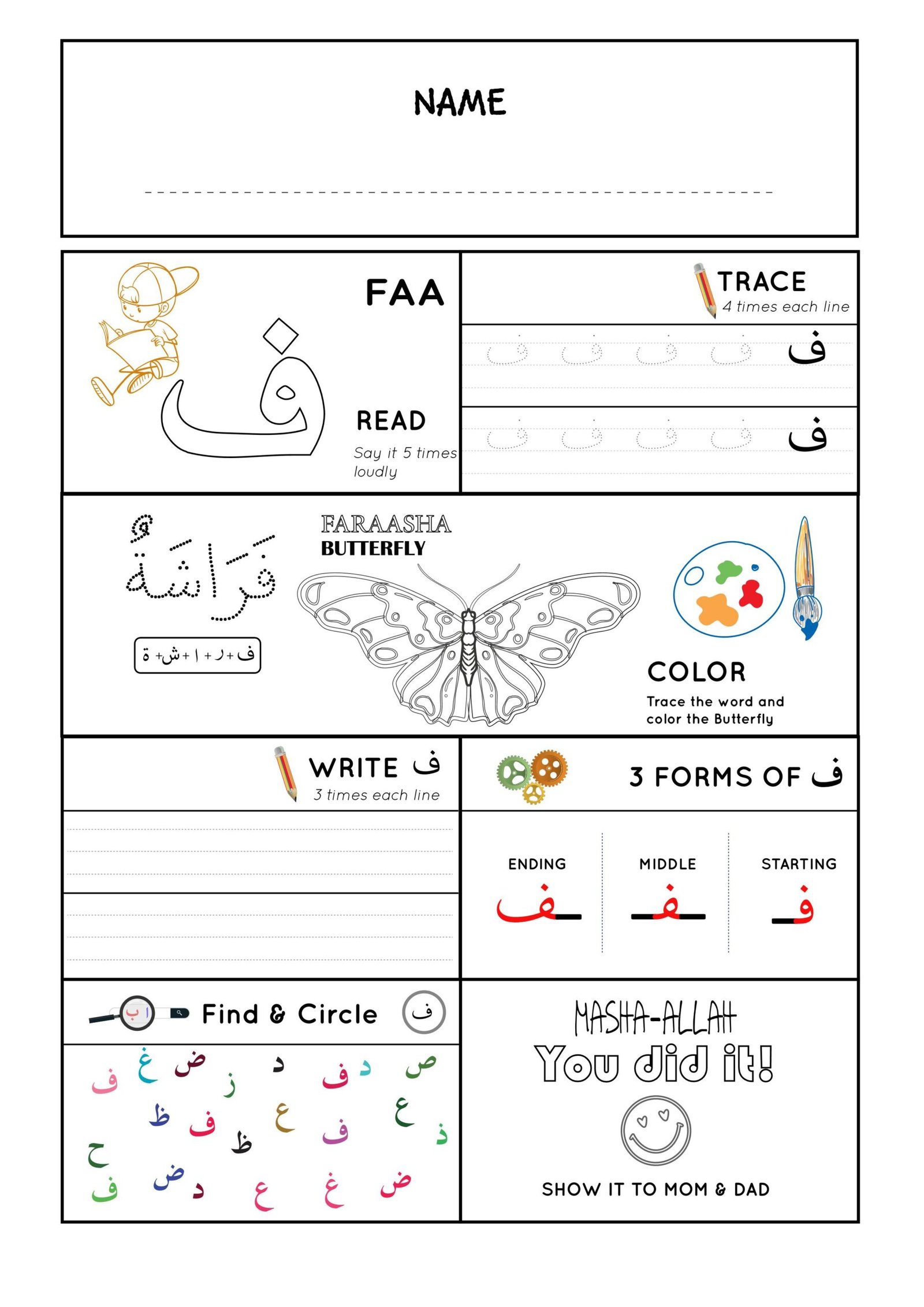
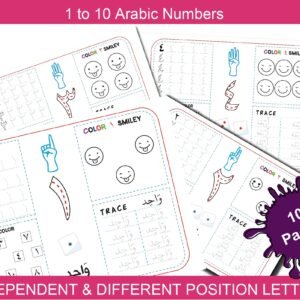
Make learning Arabic fun and interactive for your little one! This all-in-one Arabic Alphabet Activity Worksheet is designed especially for toddlers and early learners. Each page features one Arabic letter (Alif to Yaa) with multiple engaging activities that help children recognize, trace, write, and remember the letter in a playful and effective way.
💡 Each Page Includes:
✅ A large bold letter to read aloud 5 times – great for letter recognition and memorization
✏️ Tracing practice to build motor skills and proper writing technique
🎨 A fun coloring image related to the letter – perfect for creativity and visual learning
📝 Letter writing space to build confidence and reinforce learning
🔠 The three forms of the Arabic letter (beginning, middle, end)
🔍 A “Find and Circle the Letter” game to make learning feel like play
Perfect for homeschooling, Islamic preschool, or weekend madrasa classes. Whether you’re introducing your child to Arabic for the first time or reinforcing what they’re already learning, this worksheet makes the journey from Alif to Yaa simple, enjoyable, and meaningful.
🎯 Ideal for:
Toddlers & preschoolers (ages 3–6)
Parents & teachers introducing Arabic
Early learners preparing to read the Qur’an
1 review for Arabic Alphabet Activity Book: Alif to Yaa (Read, Trace, Write, Color)
Aisha Islam (verified owner) –
Very effective worksheet, nice!